Families with old photo albums
Refresh treasured but damaged photos without a professional restoration service.
Bring an old, damaged photo back to life — repair scratches, fading, and tears. Powered by paid AI image models — no free tier.
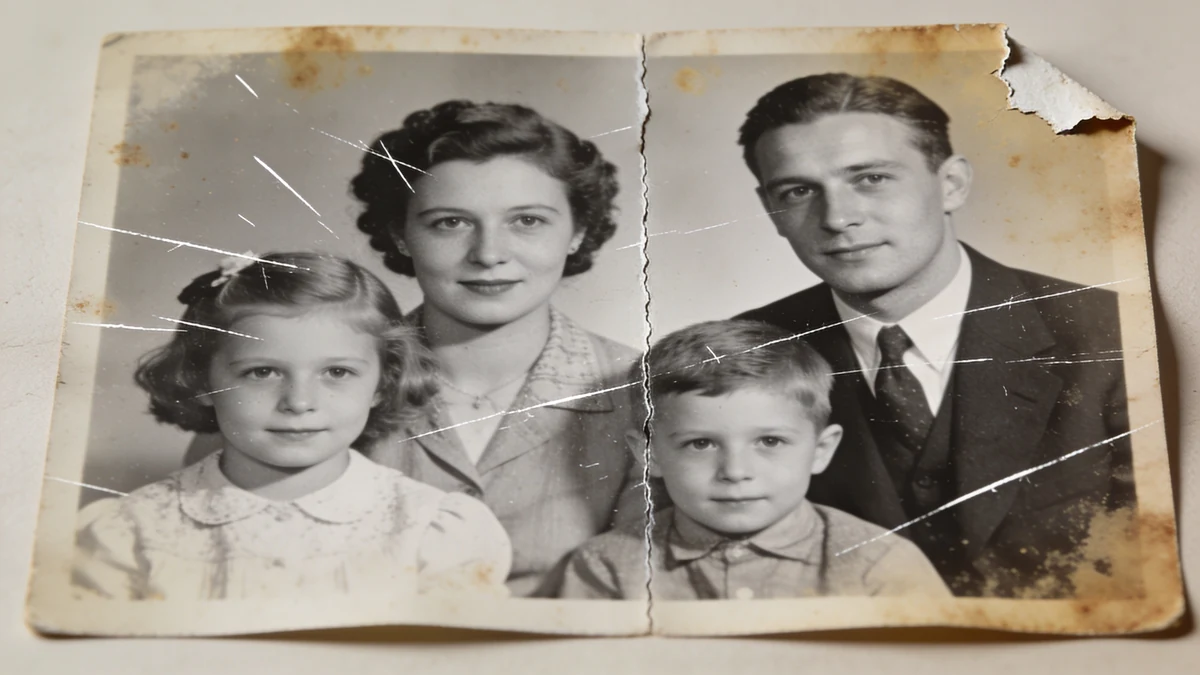
The original print: deep scratches, a torn corner, brown foxing stains, a crease through the middle, and badly faded contrast.
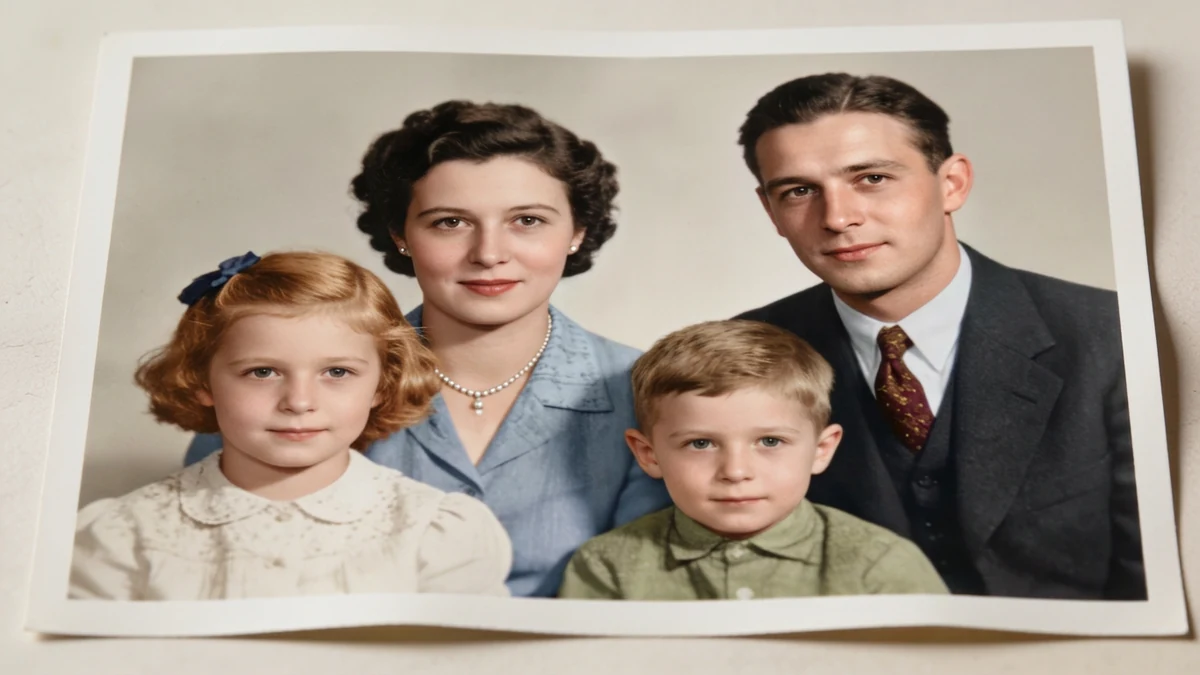
The same photo restored in one pass: damage removed, contrast recovered, and gently colorized with natural skin tones and period clothing colors. Faces and poses are unchanged.
Upload a damaged photo and describe scratches, fading, or tears to get a restored version.
Provide the damaged photo — scanned or photographed as clearly as possible.
Refresh treasured but damaged photos without a professional restoration service.
Clean up scanned photos as part of preserving a family archive.
Add a colorized version alongside the original for a fresh perspective.
Name scratches, creases, or fading directly rather than a general 'fix this' request.
A sharper source image gives the restoration more to work with.
Mention it explicitly if you want a black-and-white photo brought into color.
Ask to keep faces natural if you're worried about over-smoothing.
Large torn-out areas are reconstructed as a best guess, not a true recovery.
A more specific description of remaining issues often improves the result.
Review output quality, follow-up checks, and download expectations for old photo restoration.
For a photo with moderate damage — some scratches, fading, or a crease — the tool typically returns a noticeably improved version within a couple of minutes, with damage reduced and colors refreshed. Colorization requests add plausible, natural-looking color. Severe damage (large torn-out sections, heavily obscured faces) is harder to fully recover and may need a couple of attempts or produce a more approximate result in the damaged areas.
Example: A user uploaded a faded, creased family photo from the 1970s and asked for the crease repaired and the color refreshed. The result showed the crease line smoothed away and the washed-out colors restored to a warmer, more balanced tone, with facial features staying clearly recognizable and unchanged.
Common issues like scratches, creases, tears, fading, yellowing, water spots, and blurriness can usually be improved. Describe the specific damage you see, and the restoration focuses on those areas.
Sign up free and put AI agents to work across your tasks, from quick jobs to complete end-to-end workflows, right in your browser, no setup needed.
Get started for free