Long-distance couples
Generate a photo together even if you've never been in the same place at the same time — just upload a photo of each of you.
Turn two separate photos into one AI-generated couple portrait — no photoshoot needed. Requires a paid plan — no free tier.
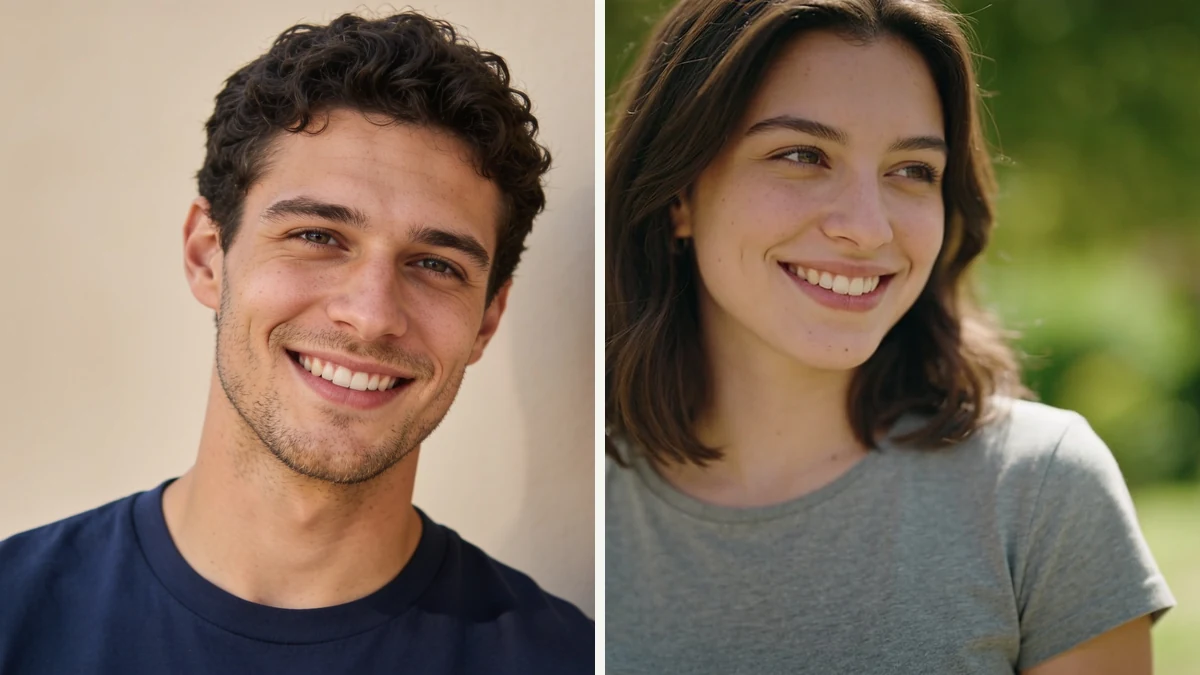
An individual photo of each person, taken at different times and places — no photo of the two of them together exists yet.
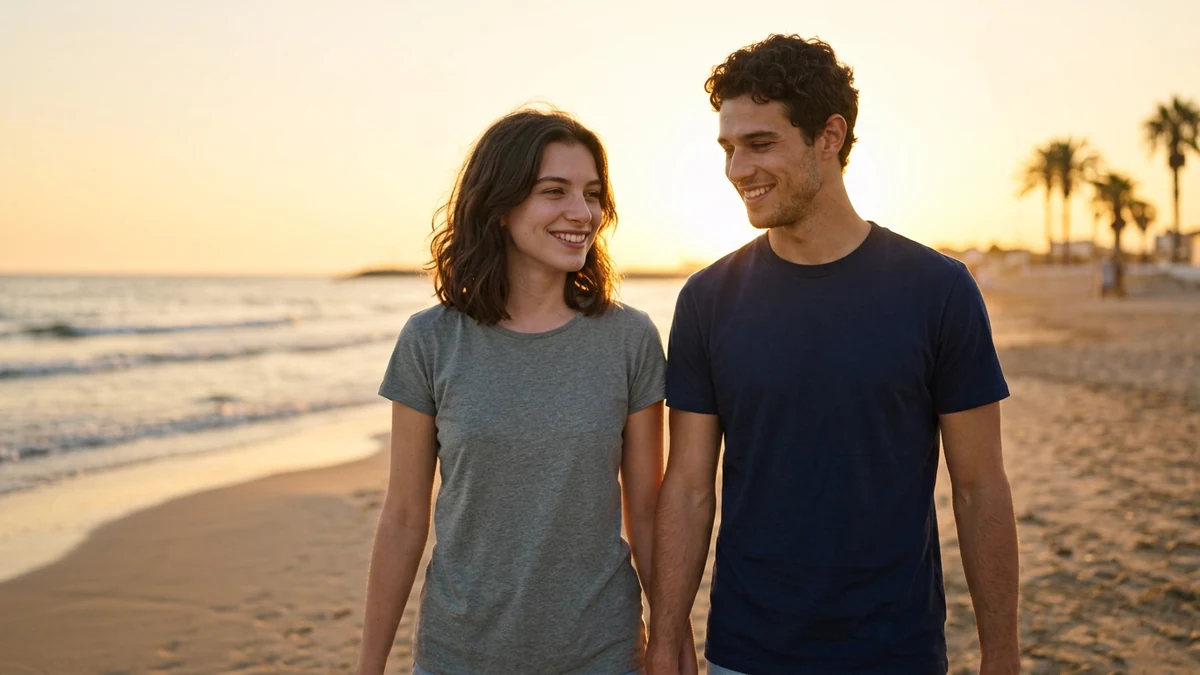
Both faces combined into a single candid-style photo, walking together on a beach at sunset.
Upload source photos and describe the shared pose, setting, outfit style, and mood.
Provide one clear, well-lit photo of each person. Front-facing photos with the face fully visible give the most recognizable results.
Generate a photo together even if you've never been in the same place at the same time — just upload a photo of each of you.
Try out different styles and settings for an anniversary post or save-the-date before committing to a real photoshoot.
No occasion needed — describe a scene you'd both enjoy and see yourselves in it.
A well-lit photo with the face fully visible and unobstructed gives the model the most to work with. Avoid sunglasses, extreme angles, or group photos as your source.
'Beach at sunset' or 'cozy cabin with a fireplace' works better than combining several unrelated settings in one request.
Words like 'warm golden light', 'soft studio lighting', or 'moody evening light' help the model match the tone you're picturing.
Vintage film, black-and-white, or a specific era gives the image a distinct look beyond a plain realistic photo.
General direction ('cozy sweaters', 'formal attire') works more reliably than very specific clothing details.
If a likeness doesn't quite land, try a clearer source photo or a simpler scene — busy backgrounds and complex poses make accurate faces harder.
Review output quality, follow-up checks, and download expectations for AI couple photos.
For two clear, well-lit individual photos and a straightforward setting request, the tool typically returns a couple portrait within a minute or two. Faces tend to stay recognizable when source photos are cropped closer and well-lit; distant, obscured, or low-resolution photos usually produce a less accurate likeness. Simple, single-scene requests (a beach sunset, a cozy cabin) work more reliably than requests with many specific background details. Best input: clear individual photos and one shared scene description, including pose, setting, lighting, outfit style, and how realistic or stylized the result should be.
Example: Input: two separate clear portraits and the prompt 'casual couple photo in a city park at golden hour, neutral outfits, natural smiles'. Output: a generated couple-style portrait with both people placed in one shared scene. Good for creative gifts, profile concepts, and long-distance photo ideas.
It takes two individual photos — one of each person — and generates a new image that places both of you together in a single scene, in a style and setting you describe. The result is a composite created by an image model, not a real photograph.
Sign up free and put AI agents to work across your tasks, from quick jobs to complete end-to-end workflows, right in your browser, no setup needed.
Get started for free