Viral Video Generator
Leverage advanced AI to generate high-engagement viral video content for social media platforms
Vetting scorecard
Each dimension is scored against its own maximum; together they sum to the overall grade (out of 100).
Input → output capabilities
| media | video | gif | image |
|---|---|---|---|
| text | 3 | 1 | 2 |
| image | 1 | - | - |
| video | 1 | - | - |
Rows are accepted inputs, columns are produced outputs; each cell counts supported conversions.
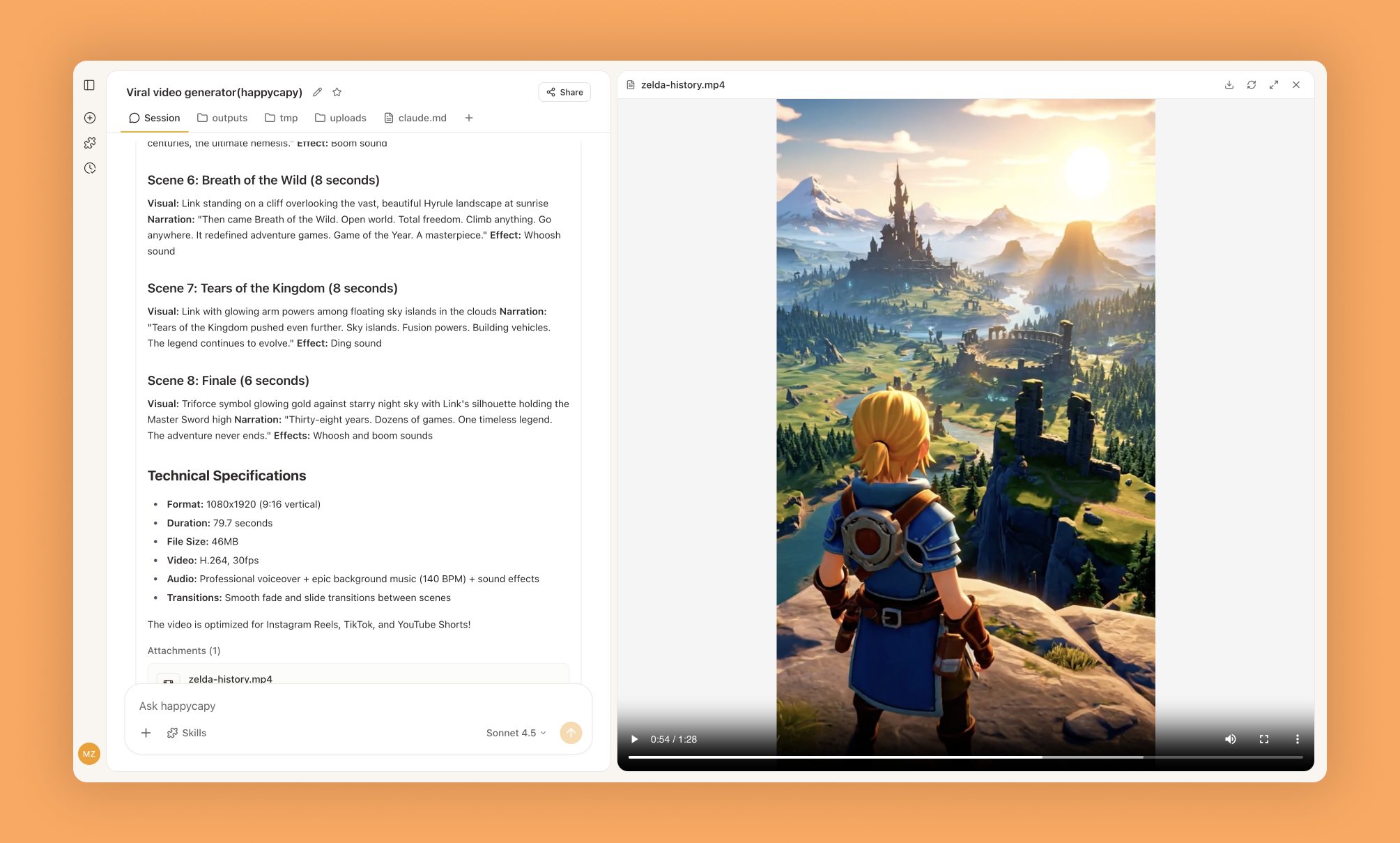
Viral Video Generator is an end-to-end AI video production pipeline that turns a single text prompt into a complete, ready-to-post vertical video. It generates video clips with Google Veo 3.1, synthesizes a voiceover with Piper TTS, adds background music and sound effects, and assembles everything with ffmpeg into a finished MP4 for TikTok, Instagram Reels, and YouTube Shorts.
What Is This?
- A full production pipeline, not just an idea generator: prompt in, finished vertical video out
- Combines four stages — script writing, parallel asset generation (video clips, voiceover, music/SFX), and ffmpeg assembly
- Video clips are generated with Google Veo 3.1; narration is synthesized locally with the Piper neural TTS engine
- Output is a standard MP4 formatted for short-form platforms like TikTok, Instagram Reels, and YouTube Shorts
Why Use It?
- Skip the whole editing suite — no timeline, no cutting, no manual voiceover recording
- One prompt, one video — describe the video you want and receive an assembled file, not a to-do list
- Structured for retention — scripts follow a proven 6-8 scene arc (hook, discovery, demo, features, payoff, call to action)
- Runs headless — Piper TTS and a static ffmpeg build install automatically on first run, so there is nothing to configure
How to Use It?
Describe the video you want, including topic and style, and the pipeline handles scripting, generation, and assembly:
Generate a 30-second vertical video: a capybara barista pours latte art in a cozy cafe, cinematic slow motion, warm light, meme styleYou can steer tone and structure in the prompt:
Create a product promo video for an eco-friendly water bottle, upbeat narrator, 6 scenes, ending with a call to actionBehind the scenes the skill writes a scene-by-scene script (visual prompt, voiceover line, and SFX cue per scene), generates every asset in parallel, then stitches the final cut with ffmpeg.
When to Use It?
- You need short-form social content fast: product promos, meme videos, tutorials, announcements
- You want a narrated video without recording your own voice or sourcing music
- You are prototyping video concepts and want a watchable draft in minutes, not hours
- You do not need it for long-form or highly art-directed work — it is built for short, punchy vertical clips
Important Notes
- On first run the skill auto-installs Piper TTS and a static ffmpeg build; video generation runs through Happycapy's hosted models, so no local GPU is needed
- Generation is asynchronous: each scene's clip takes about 1-2 minutes, so a full 6-8 scene video takes several minutes end to end
- Output is short-form vertical video by design; for long-form or frame-precise edits, export the assets and finish in a video editor
- In our verification the core generation step (Veo-class clip via the platform gateway) was executed for real; the TTS/music/assembly stages were reviewed in the skill source
Try It in Happycapy
- Open Happycapy in your browser (no installation or signup needed to try)
- Ask for the video directly: "Make me a 30-second vertical video about a robot learning to cook, funny style"
- Wait for the pipeline to generate clips, voiceover, and music, then download the finished MP4
Frequently asked questions
Does it actually produce a finished video file?+
Yes. The output is an assembled MP4 with generated video clips, a synthesized voiceover, background music, and sound effects — not a script or a storyboard. We verified this by generating a real 5-second h264 clip end to end.
What AI models does the pipeline use?+
Video clips are generated with Google Veo 3.1 through the platform's model gateway. The voiceover is synthesized locally with Piper TTS, and music/SFX are synthesized and mixed with ffmpeg.
What video format and orientation does it output?+
It produces MP4 files designed for vertical short-form platforms (TikTok, Instagram Reels, YouTube Shorts). Scene count, style, and pacing are steerable through your prompt.
Do I need to install anything?+
On first run the skill auto-installs Piper TTS and a static ffmpeg build. Video generation itself runs through Happycapy's hosted models, so there is nothing to configure for that step.
How long does generation take?+
A short clip takes a couple of minutes: each video scene is an async generation job that is polled until complete, then assembly is near-instant. In our test a 5-second clip finished in about 2 minutes end to end.
More Skills You Might Like
Explore similar skills to enhance your workflow
World Class Carousel
Generate world-class Instagram carousel content with AI-generated visuals, precise typography, and optimized captions
Supabase Postgres Best Practices
Comprehensive guide for optimizing Postgres database performance and security using Supabase best practices
PDF Processing
Comprehensive toolset to read, create, merge, split, and manipulate PDF documents with professional precision
Get started with Viral Video Generator on Happycapy
Leverage advanced AI to generate high-engagement viral video content for social media platforms. Viral Video Generator is a skill on Happycapy, the agent-native computer for building with AI — sign up free to add and run it, no local setup required.