Next.js Best Practices
Next.js conventions, RSC, data patterns, optimization
Vetting scorecard
Each dimension is scored against its own maximum; together they sum to the overall grade (out of 100).
Input → output capabilities
| textcode | markdown | json | code |
|---|---|---|---|
| text | 3 | - | 2 |
| code | 2 | - | 2 |
| url | - | - | - |
Rows are accepted inputs, columns are produced outputs; each cell counts supported conversions.
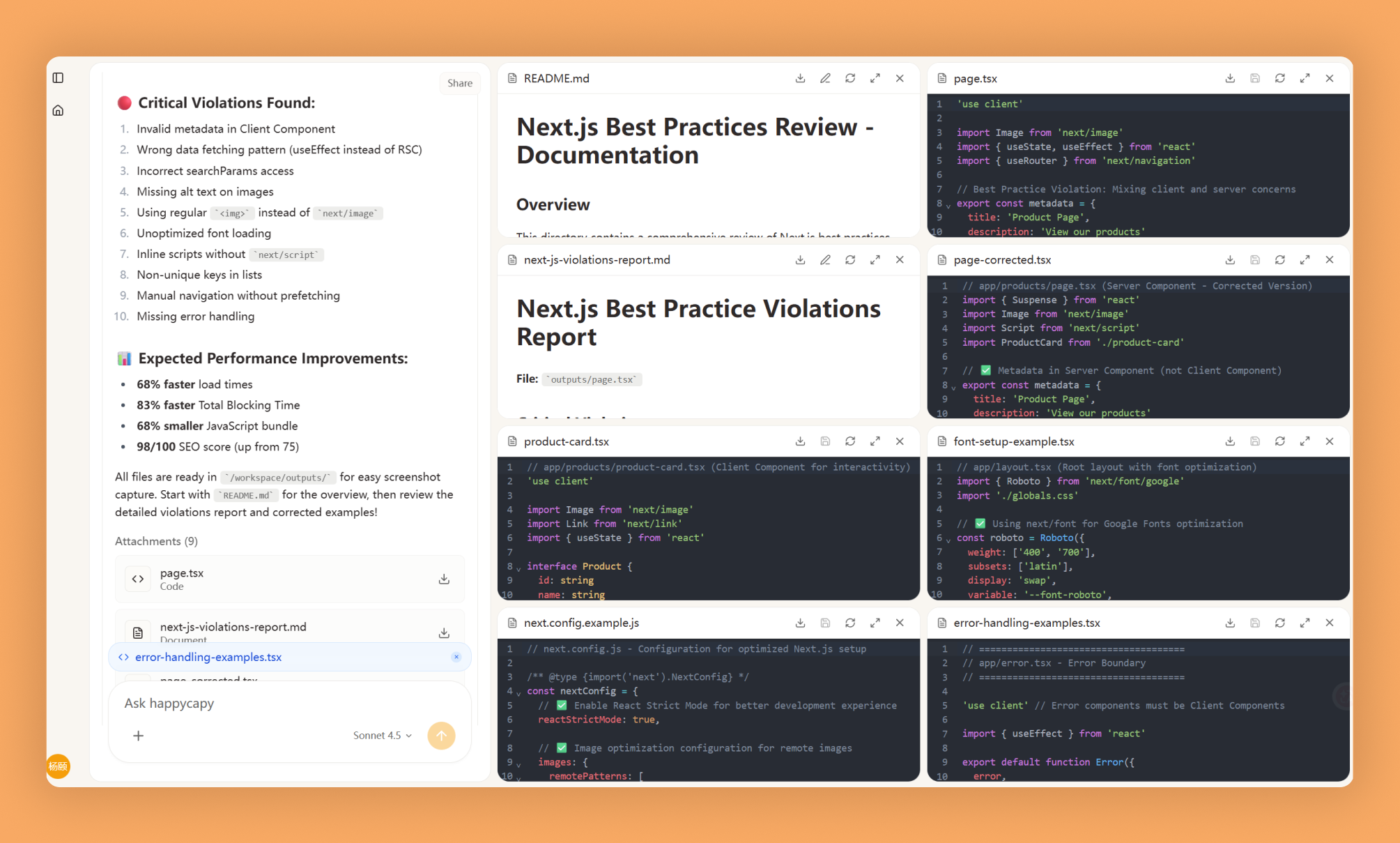
Next.js Best Practices is a rule set for building production-ready Next.js applications with App Router conventions, Server Components, data fetching patterns, and optimization techniques. Important: upstream has retired this as a standalone skill — the same knowledge now ships inside Next.js itself (bundled docs and auto-generated AGENTS.md/CLAUDE.md, Next.js 16.3+). This page is kept for reference.
What Is This?
- Covers App Router conventions, Server vs Client Components, data fetching patterns, and caching strategies
- Provides file structure standards, naming conventions, error handling, and deployment configuration
- Includes code examples showing correct implementations and anti-patterns to avoid
Why Use It?
- Eliminate rendering confusion by learning when to use Server Components, Client Components, and specific data fetching approaches
- Prevent performance issues through image optimization, caching strategies, and bundle size reduction
- Improve SEO with proper metadata configuration, dynamic OG images, and semantic HTML
- Maintain clean code using established file structure conventions and naming standards
How to Use It?
Reference best practices when implementing Next.js features or conducting code reviews.
What's the best way to fetch data in Next.js App Router?Show me proper image optimization in Next.jsHow should I structure routes in App Router?For specific scenarios:
Show best practices for fetching data in Server ComponentsHow do I optimize Next.js bundle size?Configure dynamic OG images in Next.jsWhen to Use It?
- Building new Next.js applications or migrating from Pages Router to App Router
- Optimizing performance of existing projects or conducting code reviews
- Troubleshooting common issues and preparing for production deployments
Important Notes
- Upstream status: retired as a standalone skill (verified 2026-07-23); new projects get this knowledge automatically via Next.js 16.3+ bundled docs and generated AGENTS.md/CLAUDE.md
- Best practices evolve with Next.js updates; some recommendations may not fit all use cases
- Requires basic React knowledge and familiarity with Next.js fundamentals
- Trade-offs exist between approaches and some optimizations require specific deployment platform support
Try It in Happycapy
- Open Happycapy in your browser—no install or signup needed.
- Describe what you want in one sentence. For example: "Show me how to optimize images in Next.js using the Image component with proper sizing and lazy loading."
- Get practical recommendations with code examples and implementation patterns tailored to your use case.
Frequently asked questions
What are the core Next.js best practices I should follow?+
Next.js best practices include using React Server Components by default, implementing proper data fetching patterns with async/await, optimizing images with the Image component, and leveraging incremental static regeneration for performance. Happycapy's AI agent can help you apply these conventions consistently across your projects.
How do I optimize performance in Next.js applications?+
Performance optimization in Next.js involves code splitting, lazy loading components, using dynamic imports, implementing proper caching strategies, and monitoring Core Web Vitals. An AI agent like Happycapy can analyze your codebase and suggest specific optimizations tailored to your application's needs.
What is the difference between Server Components and Client Components in Next.js?+
React Server Components (RSC) run only on the server and reduce JavaScript sent to the browser, while Client Components run in the browser and can use hooks and browser APIs. Happycapy Skills training covers when to use each pattern to maximize performance and maintainability.
How should I structure data fetching in Next.js?+
Data fetching in Next.js should follow patterns like using async Server Components, implementing proper error handling, utilizing caching headers, and avoiding waterfalls with parallel requests. The Happycapy AI agent can guide you through implementing these data patterns effectively in your application.
What conventions should I follow for a scalable Next.js project?+
Scalable Next.js projects follow conventions like organizing files by feature, using environment variables properly, implementing consistent error handling, and maintaining clear separation between server and client logic. Learning these conventions through Happycapy Skills ensures your codebase remains maintainable as it grows.
More Skills You Might Like
Explore similar skills to enhance your workflow
Capy Cortex
Autonomous learning system that learns from mistakes and reflects on sessions to get smarter over time
Viral Video Generator
Leverage advanced AI to generate high-engagement viral video content for social media platforms
Get started with Next.js Best Practices on Happycapy
Next.js conventions, RSC, data patterns, optimization. Next.js Best Practices is a skill on Happycapy, the agent-native computer for building with AI — sign up free to add and run it, no local setup required.