Supabase Postgres Best Practices
Comprehensive guide for optimizing Postgres database performance and security using Supabase best practices
Vetting scorecard
Each dimension is scored against its own maximum; together they sum to the overall grade (out of 100).
Input → output capabilities
| textcode | markdown | json | code |
|---|---|---|---|
| text | 3 | - | 3 |
| code | 3 | - | 3 |
| url | - | - | - |
Rows are accepted inputs, columns are produced outputs; each cell counts supported conversions.
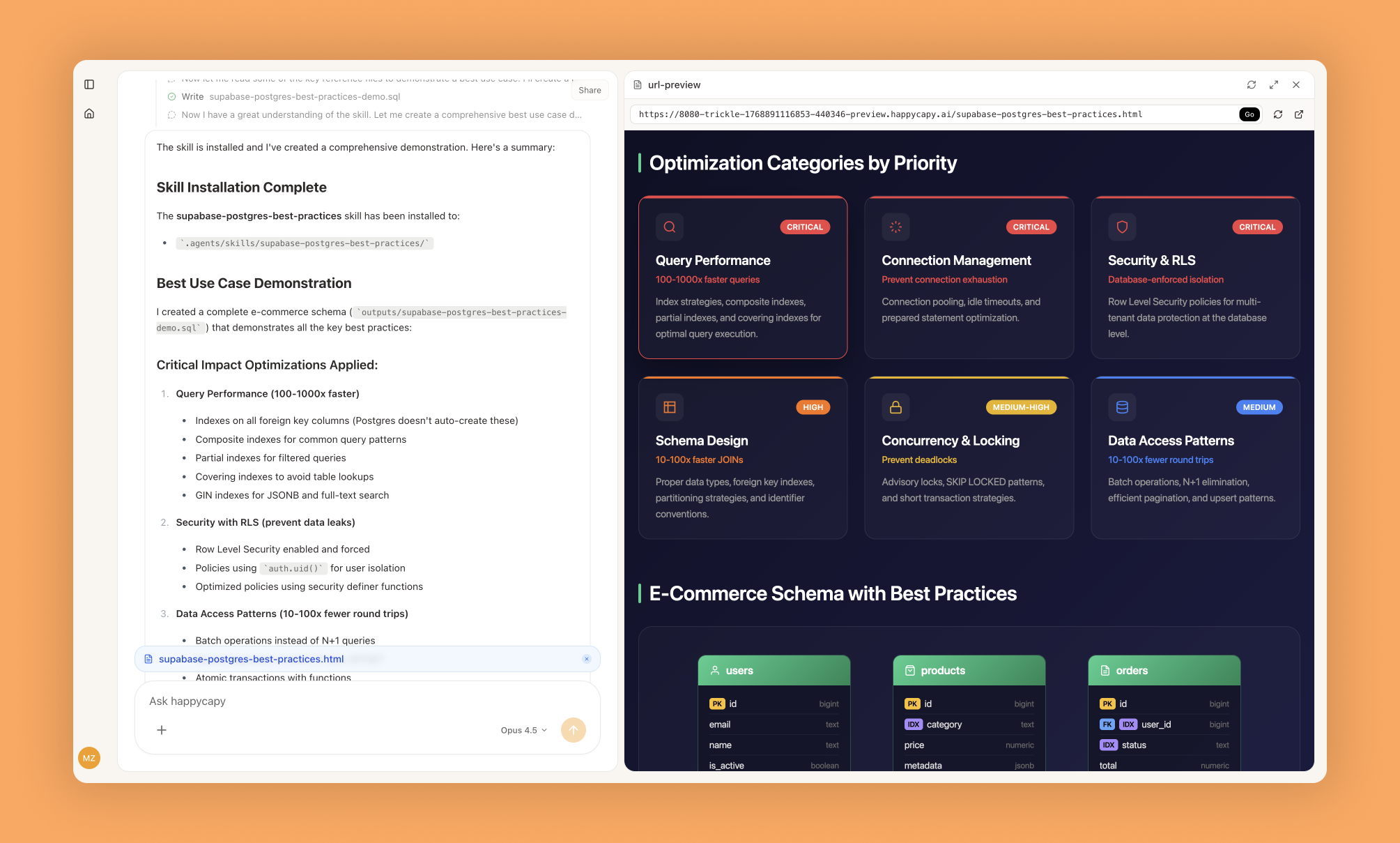
Supabase Postgres Best Practices is a structured optimization guide covering eight categories of Postgres rules prioritized by impact. It helps you write efficient SQL queries, design better schemas, implement proper indexes, and configure connection pooling to avoid common performance and security pitfalls.
What Is This?
- Eight prioritized categories of Postgres optimization rules, from critical (query performance, connection management) to incremental improvements
- Concrete SQL examples showing incorrect vs. correct approaches with EXPLAIN output and performance metrics
- Supabase-specific implementation notes for indexing, connection pooling, Row-Level Security, and monitoring
Why Use It?
- Eliminate slow queries by identifying missing indexes and inefficient SQL patterns with measurable performance gains
- Prevent connection pool exhaustion through proper configuration that stops application failures under load
- Avoid schema design mistakes that create performance bottlenecks difficult to fix later
- Secure multi-tenant applications with optimized Row-Level Security policies specific to Supabase
How to Use It?
Reference the guide when writing queries, designing schemas, or reviewing database performance. Rules are prefixed by category:
Query performance: query-missing-indexes, query-full-table-scans
Connection: conn-pooling, conn-timeouts
Security: security-rls-performance
Schema: schema-partial-indexesFor slow queries, check the query-missing-indexes rule, review EXPLAIN output for full table scans, and add appropriate indexes following examples.
For connection issues, review conn-pooling configuration, implement connection limits per recommendations, and configure timeout settings appropriately.
For RLS implementation, follow security-rls-performance guidelines, review correct RLS policy examples, and optimize policies avoiding performance penalties.
When to Use It?
- Initial database schema design or code review for SQL query performance issues
- Performance tuning for slow database operations and scaling applications with connection pool issues
- Implementing secure multi-tenant applications with Row-Level Security
Important Notes
- Rules are general best practices requiring adjustment for specific workloads; performance improvements vary based on data size and complexity
- Requires basic SQL understanding, access to a Postgres database for testing, and ability to run EXPLAIN ANALYZE
- Some optimizations have tradeoffs requiring evaluation; Supabase-specific notes may not apply to self-hosted Postgres
Try It in Happycapy
- Open Happycapy in your browser—no install or signup needed to try.
- Describe what you want in one sentence. For example: "Show me how to add an index to optimize a slow query on the users table WHERE email column."
- Get the result: Happycapy returns the specific rule, SQL examples, and EXPLAIN output showing the performance improvement.
Frequently asked questions
How can I optimize Postgres query performance in Supabase?+
Supabase Postgres best practices include creating appropriate indexes, analyzing query execution plans, and using connection pooling to manage database connections efficiently. Happycapy's AI agent skill provides comprehensive guidance on identifying bottlenecks and implementing performance improvements.
What security measures should I implement for my Supabase Postgres database?+
Essential security practices include enabling Row Level Security (RLS), using strong authentication credentials, encrypting sensitive data, and regularly auditing access logs. The Happycapy skill covers these security protocols in detail to help protect your database from unauthorized access.
How does an AI agent help with Supabase database management?+
An AI agent can automate database optimization tasks, monitor performance metrics, suggest index improvements, and identify security vulnerabilities in your Postgres setup. Happycapy's AI agent skill integrates these capabilities to streamline database administration.
What is connection pooling and why does Supabase recommend it?+
Connection pooling reduces overhead by reusing database connections instead of creating new ones for each request, significantly improving performance under high load. Supabase best practices emphasize configuring appropriate pool sizes and timeouts for optimal resource utilization.
Can Happycapy help me implement Postgres best practices automatically?+
Yes, Happycapy's AI agent skill for Supabase Postgres best practices provides automated recommendations and implementation guidance for performance tuning, security hardening, and schema optimization. The skill enables developers to quickly adopt industry-standard practices without manual research.
More Skills You Might Like
Explore similar skills to enhance your workflow
Get started with Supabase Postgres Best Practices on Happycapy
Comprehensive guide for optimizing Postgres database performance and security using Supabase best practices. Supabase Postgres Best Practices is a skill on Happycapy, the agent-native computer for building with AI — sign up free to add and run it, no local setup required.