Slack Gif Creator
Design and export high-quality animated GIFs specifically optimized for seamless sharing on Slack
Vetting scorecard
Each dimension is scored against its own maximum; together they sum to the overall grade (out of 100).
Input → output capabilities
| media | video | gif | image |
|---|---|---|---|
| text | - | 3 | 1 |
| image | - | 1 | - |
| video | - | 1 | - |
Rows are accepted inputs, columns are produced outputs; each cell counts supported conversions.
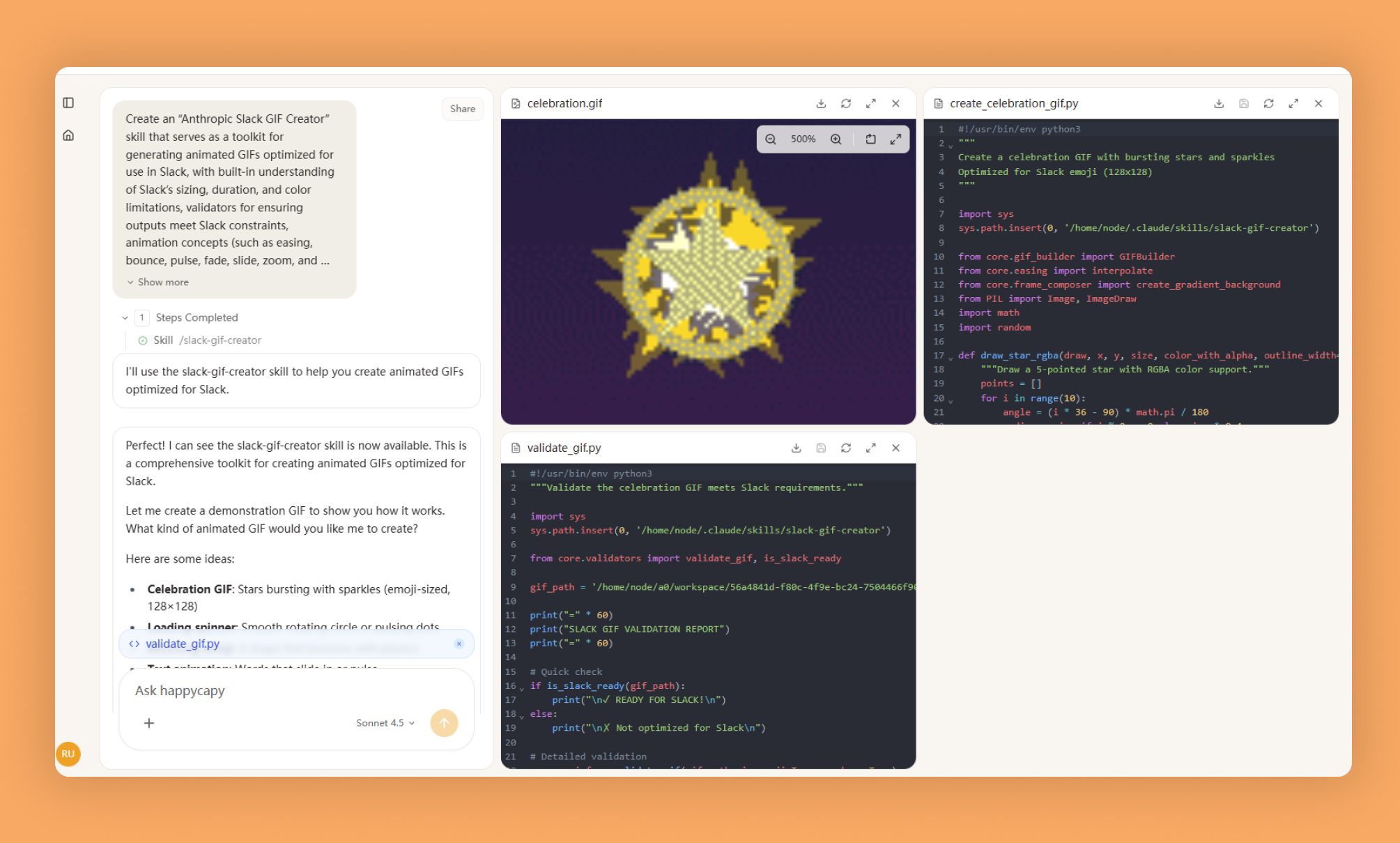
Slack Gif Creator lets you design and export animated GIFs optimized for Slack's size limits, dimensions, and file constraints—no more failed uploads or choppy animations.
What Is This?
- A toolkit for creating Slack-compliant animated GIFs with proper dimensions (128x128 for emoji, 480x480 for messages), frame rates (10-30 FPS), and color optimization (48-128 colors).
- GIFBuilder class that assembles frames and optimizes output, plus validators, easing functions, and PIL-based drawing utilities.
- Animation concepts including shake, pulse, bounce, spin, fade, slide, zoom, and particle effects.
Why Use It?
- Avoid upload failures: Generic GIF tools violate Slack size limits and dimensions; this skill ensures compliance from the start.
- Polished animations: Easing functions and visual depth techniques eliminate choppy motion and linear movement.
- Smaller file sizes: Color reduction and duplicate frame removal keep GIFs fast-loading without quality loss.
- Rapid creation: PIL primitives combined with utility functions let you build complex animations without starting from scratch.
How to Use It?
Use GIFBuilder to create frames, add animations using PIL, and save with Slack optimization:
from core.gif_builder import GIFBuilder
from PIL import Image, ImageDraw

builder = GIFBuilder(width=128, height=128, fps=10)

for i in range(12):
    frame = Image.new('RGB', (128, 128), (240, 248, 255))
    draw = ImageDraw.Draw(frame)
    builder.add_frame(frame)

builder.save('output.gif', num_colors=48, optimize_for_emoji=True)
For pulsing animation:
import math

for i in range(20):
    t = i / 19
    scale = 0.8 + 0.4 * math.sin(t * math.pi * 2)
    radius = int(30 * scale)
    draw.ellipse([64-radius, 64-radius, 64+radius, 64+radius], fill=(255, 100, 100))
For bouncing effect:
from core.easing import interpolate

for i in range(20):
    t = i / 19
    y = interpolate(start=20, end=108, t=t, easing='bounce_out')
    draw.ellipse([54, y-10, 74, y+10], fill=(100, 150, 255), width=2)
Use width=2+ for outlines, layer shapes for depth, apply easing functions for natural motion, and validate GIFs before uploading.
When to Use It?
- Creating custom animated emoji or reaction GIFs for Slack workspaces.
- Building branded visual assets or loading/status indicator animations for company Slack.
- Developing animated icons for Slack apps with strict file size and dimension requirements.
Important Notes
- Requires Python with Pillow, imageio, and numpy; knowledge of PIL drawing primitives and animation concepts.
- Does not provide pre-built templates; optimization trades quality for file size, and complex animations require PIL understanding.
- Always use optimize_for_emoji=True for emoji GIFs, keep them under 3 seconds, and use 10-15 FPS for emoji or 15-30 FPS for messages.
Try It in Happycapy
- Open Happycapy in your browser—no install or signup needed to try.
- Describe what you want in one sentence, for example: "Create a 128x128 spinning loading emoji GIF optimized for Slack with 10 FPS and 48 colors."
- Get your optimized GIF file ready to upload directly to Slack.
Frequently asked questions
What is the Slack Gif Creator skill in Happycapy?+
The Slack Gif Creator is a Happycapy skill that enables you to design and export high-quality animated GIFs optimized specifically for sharing on Slack. It streamlines the process of creating professional GIFs without leaving your workflow.
How does the AI agent help with GIF creation for Slack?+
The AI agent automates the design and optimization process, ensuring your GIFs meet Slack's technical requirements and display perfectly on the platform. This saves time while maintaining quality across all your animated content.
Can I use Happycapy's Slack Gif Creator for team communication?+
Yes, the skill is designed for seamless sharing on Slack, making it ideal for team communication, announcements, and engaging content. You can quickly generate and distribute optimized GIFs directly to your Slack workspace.
What makes this GIF creator different from standard tools?+
This Happycapy skill combines AI agent capabilities with Slack-specific optimization, ensuring your GIFs are perfectly formatted for the platform. The integrated approach eliminates manual resizing and format conversion steps.
How do I access the Slack Gif Creator skill?+
You can access the Slack Gif Creator through Happycapy's Skills marketplace as a featured skill. The source code is available on GitHub at the Happycapy-skills repository for integration into your AI agent workflows.
More Skills You Might Like
Explore similar skills to enhance your workflow
Get started with Slack Gif Creator on Happycapy
Design and export high-quality animated GIFs specifically optimized for seamless sharing on Slack. Slack Gif Creator is a skill on Happycapy, the agent-native computer for building with AI — sign up free to add and run it, no local setup required.