
Claude Code vs Cursor: Which AI Coding Tool Should You Use? (2026)
Cursor keeps you in an AI editor; Claude Code delegates whole tasks to a terminal agent. A head-to-head on interface, autonomy, automation, and which to pick, plus why many use both.
The quickest way to choose between Claude Code and Cursor: pick Cursor if you want to stay inside an AI-native code editor and drive the work yourself, and pick Claude Code if you want to hand a task to an autonomous agent in the terminal and let it run. They overlap, but they're built around opposite default workflows: one keeps you in the driver's seat, the other puts an agent in it. This guide breaks down how each works, where each wins, and why a lot of developers end up using both.
The Short Version
| Cursor | Claude Code | |
|---|---|---|
| What it is | An AI-native code editor (a VS Code fork) | A command-line coding agent |
| Where you work | In a full GUI editor | In your terminal (+ a VS Code extension) |
| Default workflow | You edit, with AI assisting inline | You delegate a task; the agent executes it |
| Models | Multiple (switchable) | Anthropic's Claude models |
| Best for | Staying hands-on in an editor | Hands-off, multi-step agentic tasks |
Cursor: The AI-Native Editor
Cursor is a fork of VS Code rebuilt around AI. You get the familiar editor (files, tabs, extensions, debugger) plus tab-completion that predicts your next edit, an inline chat that can edit across files, and an agent mode for larger changes. The mental model is augmentation: you're still steering the codebase, and the AI is an extremely fast pair-programmer riding along in the editor you already know.
That makes Cursor especially comfortable for developers who want to see and approve every change in context, work visually across many open files, and keep using the VS Code ecosystem they're used to.
Claude Code: The Terminal Agent
Claude Code is an agentic coding tool that lives in your terminal. Instead of editing alongside you, it takes a goal ("fix this failing test," "refactor this module," "scaffold this feature") then reads the codebase, makes the changes, runs commands, and iterates until it's done. The mental model is delegation: you describe the outcome and the agent runs the loop to get there, checking in when it needs you.
That suits developers who are comfortable in a terminal, want to offload whole tasks rather than supervise keystrokes, and like composing the agent into scripts and CI.
Head to Head
| Dimension | Cursor | Claude Code |
|---|---|---|
| Interface | GUI editor (VS Code fork) | Terminal / CLI (+ IDE extension) |
| Interaction | Inline edits you review as you go | Delegated tasks the agent executes |
| Autonomy | Lower (you stay in the loop) | Higher (runs multi-step work on its own) |
| Model choice | Several models, switchable | Claude models |
| Composability | Inside the editor | Scriptable, pipes into CI/CLI workflows |
| Learning curve | Low for VS Code users | Comfortable for terminal users |
| Pricing model | Subscription (see Cursor pricing) | Via a paid Claude plan or API usage (see Claude pricing) |
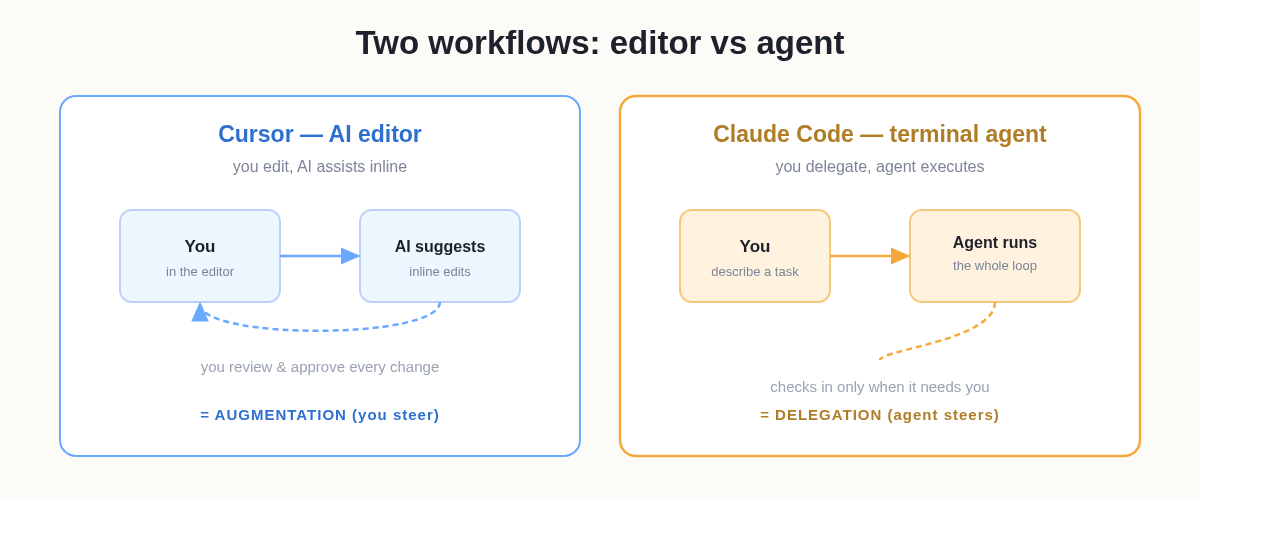 Cursor augments your editing; Claude Code takes the task off your plate.
Which Should You Use?
- Choose Cursor if you live in an editor, want to review changes in context, and prefer AI that accelerates your own typing over one that works unattended.
- Choose Claude Code if you'd rather assign whole tasks, work from the terminal, and let an agent grind through multi-step changes and tests.
- Choose by task, not loyalty: quick, surgical edits favor Cursor; large, well-specified, multi-file jobs favor Claude Code.
A concrete way to feel the line: a ten-file rename you'd want to watch and tweak as it happens is a Cursor job. You see each edit land. The same change described once as "rename this across the codebase and fix the imports," then left to run while you do something else, is a Claude Code job. The deciding question is simply do I want to supervise this, or assign it?
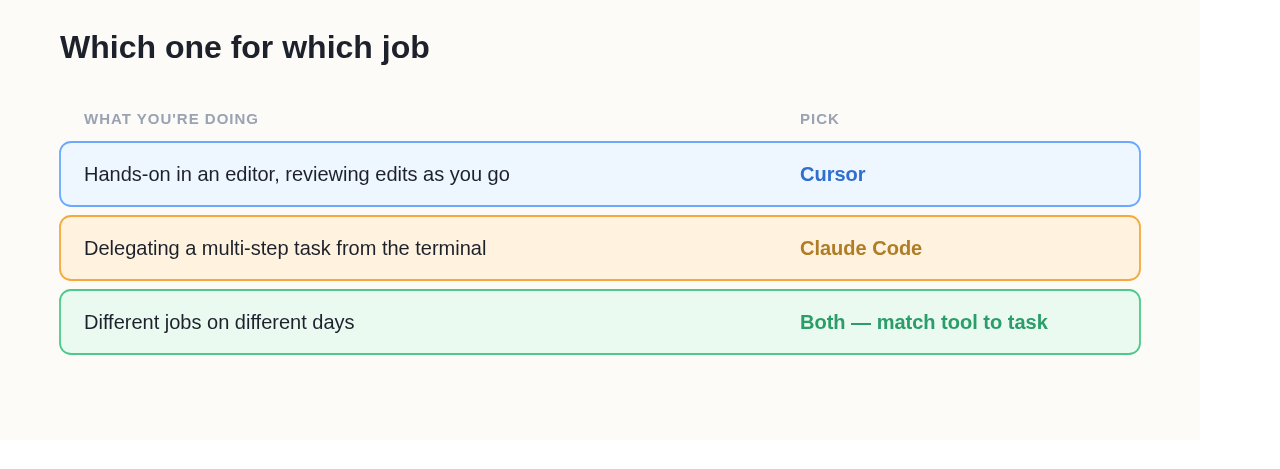 Most teams don't pick one forever. They match the tool to the task.
Can You Use Both?
Yes, and many developers do, because they solve different problems. A common pattern: Cursor for exploratory, in-editor work where you want tight control, and Claude Code for batch jobs you can describe once and walk away from. They're not mutually exclusive; they're two points on the spectrum from "AI assists me" to "AI does it."
One concrete dividing line worth knowing: Claude Code can run non-interactively (headless). Its docs cover scripting it with a -p prompt flag so it can run inside CI pipelines, pre-commit hooks, and cron jobs with no human at the keyboard. Cursor is built around interactive, in-editor use, so this kind of unattended automation is squarely Claude Code's territory, a real capability difference, not just a style preference.
If Cursor's Editor Is the Only Reason You Haven't Tried Claude Code
A lot of people stay on Cursor not because they prefer the editor model but because Claude Code's terminal setup is a wall. If that's you, the comparison has a third door: run Claude Code in your browser with no CLI to install. That lets you actually test the delegate-a-task workflow against your usual Cursor flow before deciding, an apples-to-apples trial without committing to terminal setup.
Frequently Asked Questions
Q: Is Claude Code better than Cursor?
Neither is universally better. They optimize for different workflows. Cursor is better when you want to stay in an editor and approve edits as you go; Claude Code is better when you want to delegate a whole multi-step task to an autonomous agent. Match the tool to the job.
Q: What is the main difference between Cursor and Claude Code?
Interface and autonomy. Cursor is a GUI code editor where AI assists your editing; Claude Code is a terminal agent you delegate complete tasks to. Cursor keeps you in the loop; Claude Code runs the loop for you.
Q: Can Cursor and Claude Code be used together?
Yes. They're complementary: Cursor for hands-on, in-editor work and Claude Code for hands-off, multi-step tasks. Using both lets you pick the right mode per task.
Q: Do Cursor and Claude Code use the same AI models?
Not necessarily. Cursor lets you switch between several models; Claude Code runs Anthropic's Claude models. If you specifically want Claude's coding behavior, Claude Code (or a platform running it) gives it to you directly.
Q: Can Claude Code run automatically in CI when Cursor can't?
Yes, that's one of the clearest dividing lines. Claude Code supports a non-interactive (headless) mode, so you can script it into CI pipelines, hooks, and cron jobs with no one at the keyboard. Cursor is built around interactive, in-editor use, so unattended automation is Claude Code's domain.