Brand Guidelines
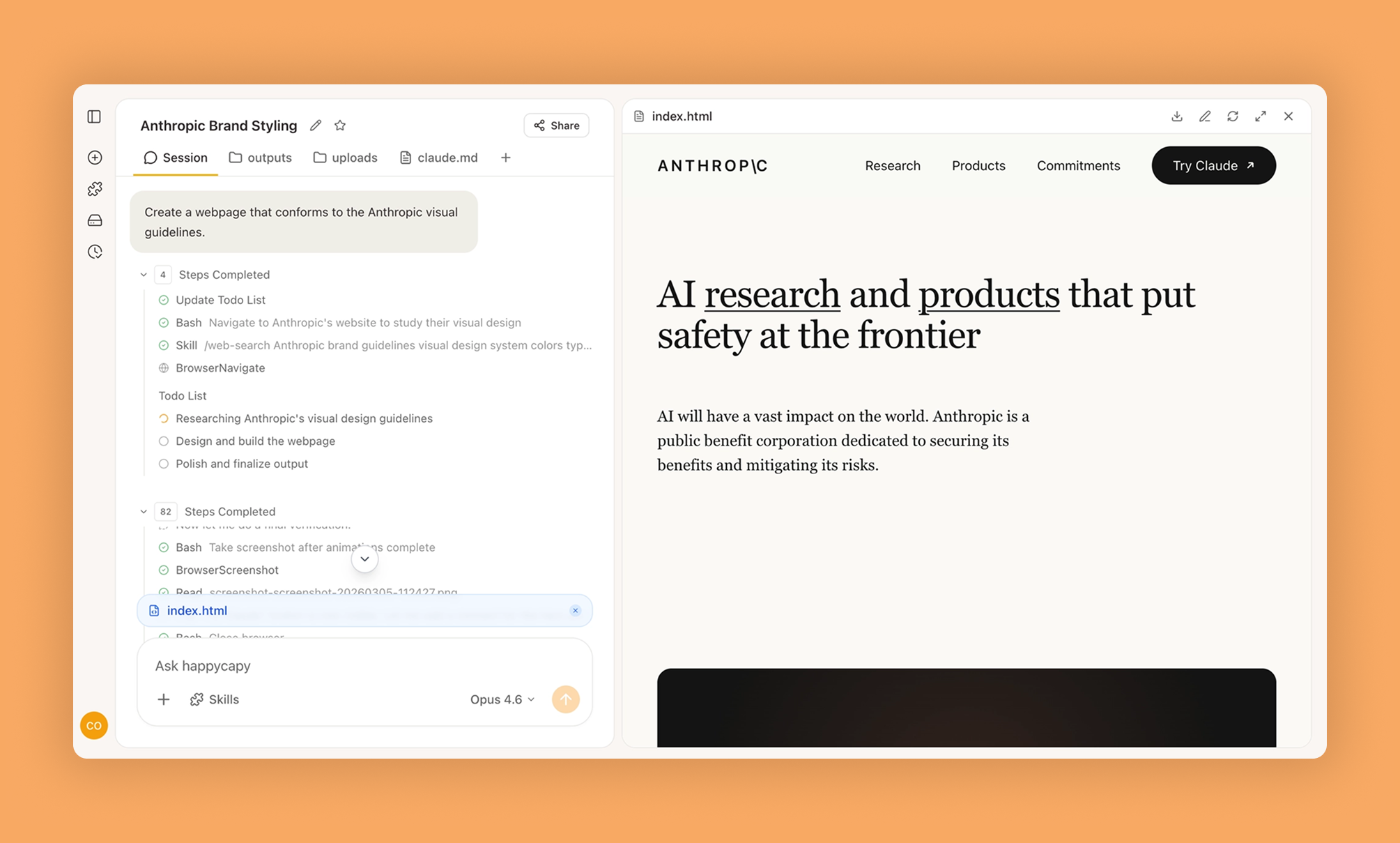
Create comprehensive brand guidelines and style guides
Vetting scorecard
Each dimension is scored against its own maximum; together they sum to the overall grade (out of 100).
Input → output capabilities
| visual | image | chart | html | |
|---|---|---|---|---|
| text | 1 | - | 3 | 1 |
| image | - | - | - | - |
| csv_xlsx | - | - | - | - |
Rows are accepted inputs, columns are produced outputs; each cell counts supported conversions.
Create comprehensive brand guidelines and style guides that serve as your single source of truth for consistent visual and messaging standards across all touchpoints—eliminating guesswork and ensuring everyone from internal teams to external partners applies your brand correctly.
What Is This?
- Generates structured brand guideline documents covering logos, colors, typography, voice, and usage rules
- Provides design teams, marketing departments, and partners with practical reference materials and common mistakes to avoid
- Centralizes brand standards to eliminate inconsistent execution across teams and channels
Why Use It?
- Standardize brand representation across in-house and external materials without visual inconsistencies weakening recognition
- Reduce onboarding friction by giving new team members and collaborators immediate clarity instead of trial-and-error learning
- Enable faster decisions with defined standards so teams confidently choose colors, fonts, and layouts aligned with strategy
- Maintain consistency at scale as teams grow or expand to new regions and product lines
How to Use It?
Start by defining core brand attributes including mission, values, and personality traits. The skill translates these into practical visual and communication standards.
Create brand guidelines for a sustainable fashion startup targeting environmentally conscious millennialsGenerate logo specifications including minimum sizes, clear space requirements, color variations, and prohibited alterationsDocument color system with primary brand colors, secondary palette, and accessibility compliant combinations for web usageCreate separate sections for different use cases like digital versus print. Include real examples from existing materials and maintain version control as the brand evolves.
When to Use It?
- Post-rebrand: Establish new standards immediately after rebranding to ensure consistent implementation across all materials
- Team scaling: Create guidelines when expanding teams to maintain quality as more people produce brand materials
- Agency briefing: Provide external partners complete documentation so they deliver on-brand work without constant oversight
Important Notes
- Have final logo files, approved color palettes, and licensed fonts ready before documenting
- Secure stakeholder alignment on standards before starting to avoid frequent revisions
- Treat guidelines as a living document that updates as your brand matures, maintaining clear version history
Try It in Happycapy
- Open Happycapy in your browser—no install or signup needed to try.
- Describe what you want in one sentence: "Create brand guidelines for our B2B SaaS platform including logo usage, color palette with hex codes, typography hierarchy, and tone of voice guidelines."
- Get your structured brand guidelines document ready to share with your team.
Frequently asked questions
What is included in comprehensive brand guidelines?+
Comprehensive brand guidelines typically include logo usage, color palettes, typography, imagery styles, tone of voice, and visual hierarchy standards. Happycapy's Brand Guidelines skill helps you document all these elements systematically to ensure consistent brand representation across all channels.
How can an AI agent help create brand guidelines?+
An AI agent can streamline the brand guidelines creation process by analyzing your brand elements, suggesting consistent visual and verbal standards, and organizing them into a structured document. Happycapy's AI agent automates much of the research and compilation work.
Why are style guides important for businesses?+
Style guides ensure consistency in how your brand is presented to customers, which builds recognition and trust. They provide clear instructions for anyone creating content or materials on behalf of your brand, reducing confusion and maintaining professional standards.
Can Happycapy help maintain brand consistency across teams?+
Yes, Happycapy's Brand Guidelines skill creates centralized documentation that all team members can reference, ensuring everyone follows the same standards for logos, colors, fonts, and messaging. This is especially valuable for distributed teams working on different projects.
How does an AI agent improve brand guideline documentation?+
An AI agent can generate detailed descriptions, identify gaps in your guidelines, suggest best practices, and format everything professionally. With Happycapy, you get a more thorough and polished brand guidelines document in less time than manual creation.
More Skills You Might Like
Explore similar skills to enhance your workflow
Supabase Postgres Best Practices
Comprehensive guide for optimizing Postgres database performance and security using Supabase best practices
Slack Gif Creator
Design and export high-quality animated GIFs specifically optimized for seamless sharing on Slack
Get started with Brand Guidelines on Happycapy
Create comprehensive brand guidelines and style guides. Brand Guidelines is a skill on Happycapy, the agent-native computer for building with AI — sign up free to add and run it, no local setup required.