Find Skills
Explore and integrate powerful new skills from the ecosystem to expand your AI assistant capabilities
Vetting scorecard
Each dimension is scored against its own maximum; together they sum to the overall grade (out of 100).
Input → output capabilities
| textcode | markdown | json | code |
|---|---|---|---|
| text | 2 | 3 | 1 |
| code | - | - | - |
| url | - | 1 | - |
Rows are accepted inputs, columns are produced outputs; each cell counts supported conversions.
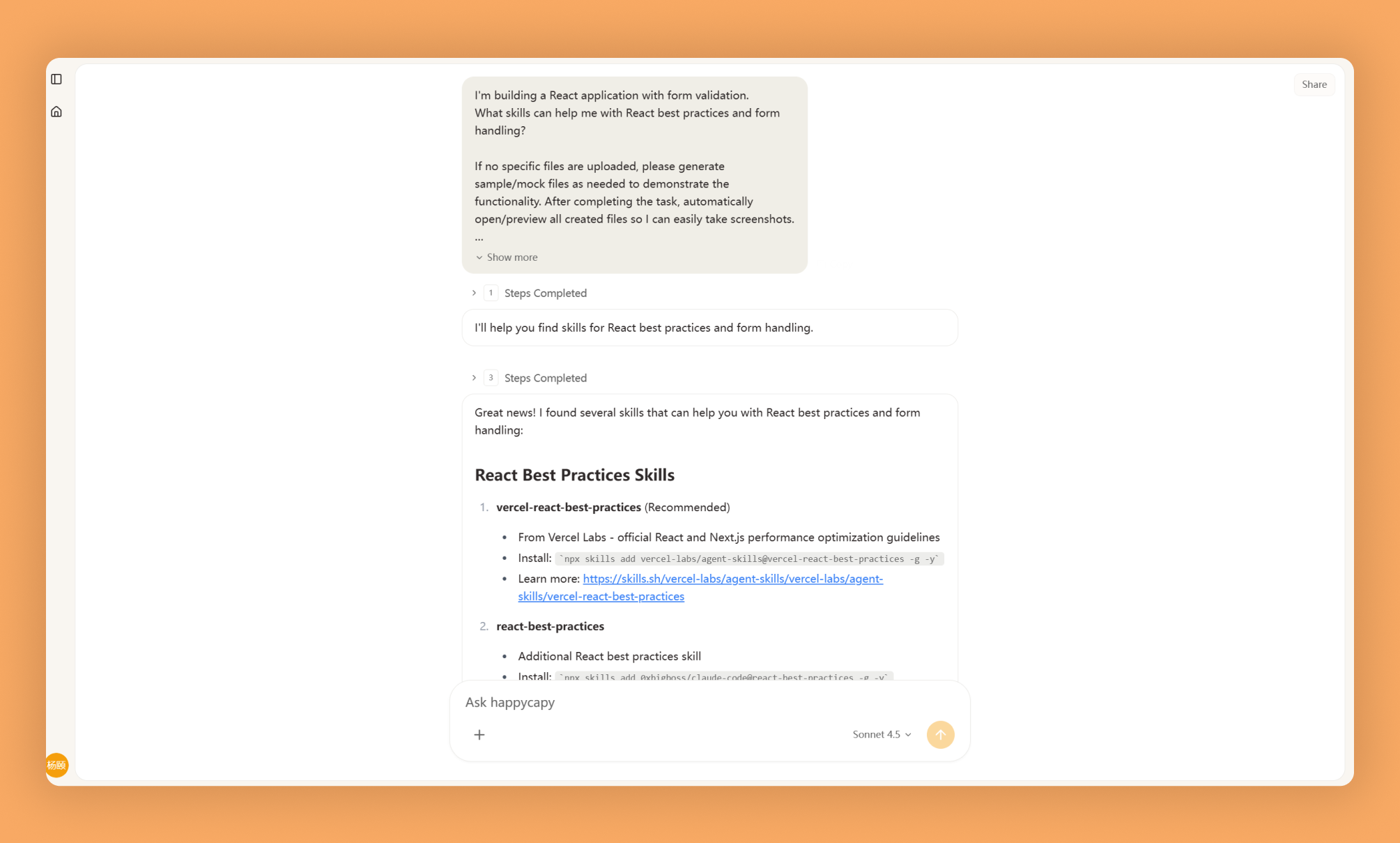
Find Skills is a discovery and installation tool for browsing the Claude skills ecosystem. It lets you search across distributed repositories, compare capabilities, and install exactly what you need to extend your AI assistant.
What Is This?
- Unified search across multiple skill repositories, GitHub, npm, and marketplaces
- Browse by category, tags, and compatibility; view detailed metadata and usage examples
- One-command installation with automatic dependency resolution and skill management
Why Use It?
- Centralized discovery: Find skills regardless of where they're hosted instead of manually browsing multiple platforms
- Informed decisions: Review descriptions, capabilities, and requirements before installing
- Simplified installation: Automated workflows handle dependencies and version compatibility
- Ongoing management: Track installed skills, check for updates, and maintain consistent environments
How to Use It?
Search for skills by keyword, category, or capability:
Find skills for PDF processingShow skills in the development categoryInstall with a single command:
Install the pdf-processing skillView and manage what you've installed:
Show all installed skillsWhen to Use It?
- Discovering task-specific skills without building custom code
- Installing new capabilities to extend Claude's functionality
- Evaluating and standardizing skills across your team or environment
Important Notes
- Discovery is limited to indexed repositories; private or unpublished skills cannot be searched
- Installation requires proper environment permissions and internet access
- Compatibility information depends on skill author maintenance; test in non-production environments first
Try It in Happycapy
- Open Happycapy in your browser—no signup or installation needed.
- Describe what you want in one sentence: "Find skills that handle CSV data processing and show me the top options."
- Get instant results with skill descriptions, compatibility info, and one-click installation options.
Frequently asked questions
How do I find new skills for my AI assistant?+
The Find Skills feature in Happycapy allows you to explore and discover powerful new skills from the ecosystem. You can browse available skills and integrate them directly into your AI agent to expand its capabilities.
What skills can I add to my Happycapy AI agent?+
Happycapy's skill ecosystem offers a wide range of integrations and functionalities that you can add to your AI agent. The Find Skills tool helps you locate and evaluate which skills best match your specific use case.
Can I integrate multiple skills into a single AI agent?+
Yes, you can integrate multiple skills from the Happycapy ecosystem into your AI agent to create a more capable and versatile assistant. The Find Skills feature makes it easy to discover and combine complementary skills.
Where do the skills in Happycapy come from?+
Skills are sourced from the Happycapy ecosystem and community contributions. The Find Skills tool provides access to this growing marketplace of AI agent enhancements maintained by Vercel Labs and partners.
How does finding and adding skills improve my AI agent?+
By using Find Skills to discover new capabilities, you can enhance your AI agent's functionality without building everything from scratch. This allows your AI agent to perform more complex tasks and serve a broader range of use cases.
More Skills You Might Like
Explore similar skills to enhance your workflow
Viral Video Generator
Leverage advanced AI to generate high-engagement viral video content for social media platforms
Canvas Design
Design stunning visual artwork and professional graphic layouts using advanced digital canvas tools
Get started with Find Skills on Happycapy
Explore and integrate powerful new skills from the ecosystem to expand your AI assistant capabilities. Find Skills is a skill on Happycapy, the agent-native computer for building with AI — sign up free to add and run it, no local setup required.