AI Image Generation
Generate AI images with 50+ models via inference.sh
Vetting scorecard
Each dimension is scored against its own maximum; together they sum to the overall grade (out of 100).
Input → output capabilities
| visual | image | chart | html | |
|---|---|---|---|---|
| text | 3 | - | - | - |
| image | 3 | - | - | - |
| csv_xlsx | - | - | - | - |
Rows are accepted inputs, columns are produced outputs; each cell counts supported conversions.
AI Image Generation
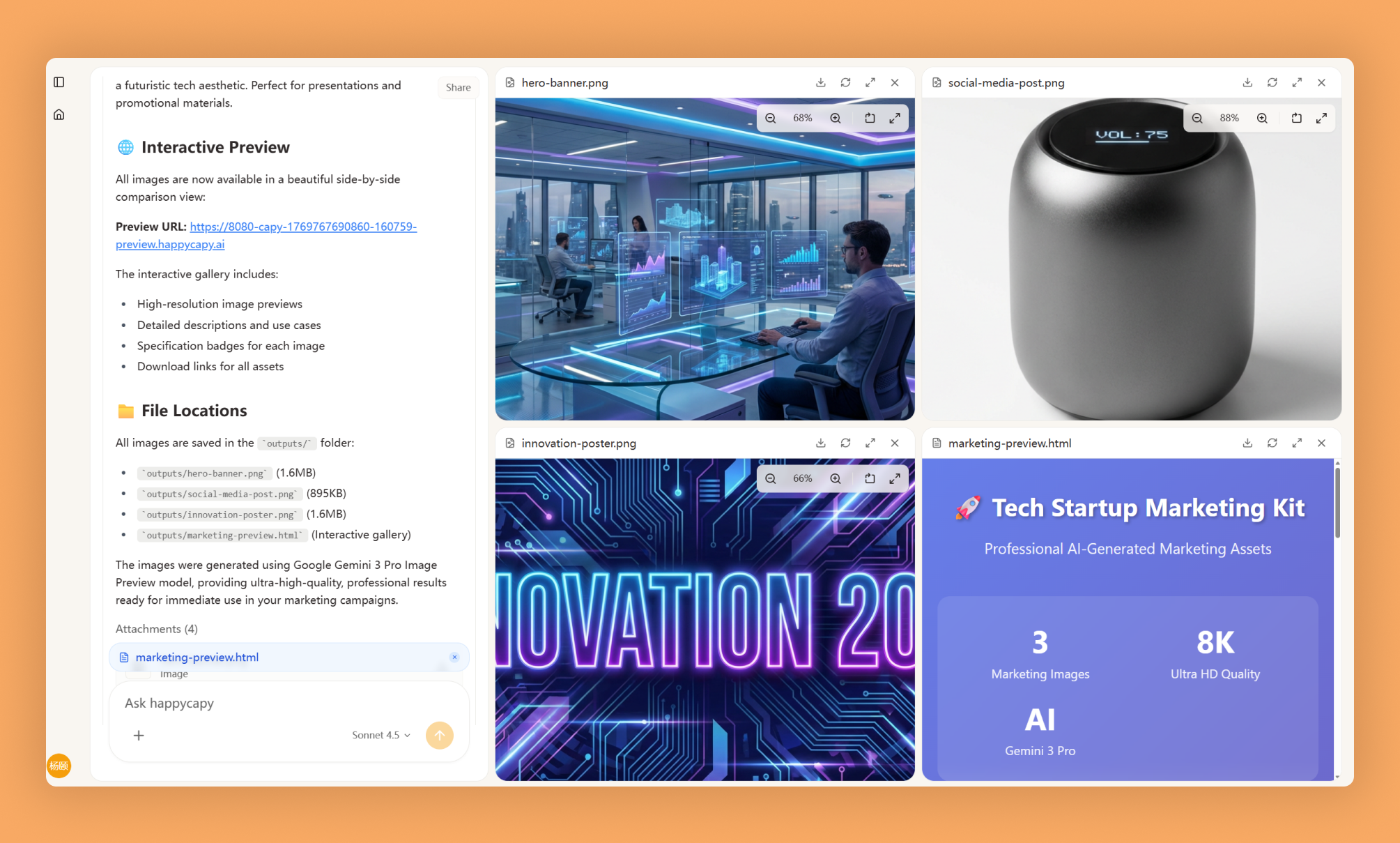
Transform text descriptions into images using 50+ AI models via inference.sh. Generate photorealistic imagery, artwork, mockups, and illustrations in seconds without design skills or expensive tools.
What Is This?
- Interfaces with inference.sh to access 50+ AI image generation models through a unified platform
- Converts text prompts into visual outputs by handling model selection, prompt engineering, and parameter configuration
- Supports photorealistic imagery, artistic styles, concept art, illustrations, logos, and design mockups
Why Use It?
- Save time on design work: Generate visual outputs in seconds instead of hours of manual design or illustration
- Reduce costs: Create unlimited iterations for prototypes without hiring designers or photographers
- Get specific results: Generate images tailored to your exact needs instead of searching generic stock libraries
- Iterate rapidly: Explore multiple visual concepts and refine them based on immediate feedback
How to Use It?
Describe what you want to generate in natural language. The skill selects appropriate models and generates images.
Generate a photorealistic image of a modern office workspaceCreate an artistic illustration of a mountain landscape in watercolor styleGenerate a logo concept for a tech startup focused on sustainabilityFor product mockups:
Generate a realistic mockup of a smartphone displaying a fitness app interfaceFor concept art:
Create concept art for a futuristic city with flying vehiclesFor illustrations:
Generate a children's book illustration of a friendly dragon readingWhen to Use It?
- Rapid prototyping of visual concepts before committing to professional design or development
- Creating custom illustrations and mockups for blogs, presentations, marketing materials, or product planning
- Generating reference images and placeholder assets during early-stage development or brainstorming
Important Notes
- Generated images may contain artifacts or anatomical inaccuracies and require iteration to refine
- Write detailed, specific prompts including subject, style, lighting, and composition for best results
- Copyright and licensing of generated content remains an evolving area; review outputs for quality and consider ethical implications
Try It in Happycapy
- Open Happycapy in your browser (no installation or signup needed to try)
- Select the AI Image Generation skill and describe what you want: "Generate a photorealistic mockup of a smartphone displaying a fitness app interface"
- Review the generated image and iterate on your prompt if needed to refine the result
Frequently asked questions
What is AI Image Generation on Happycapy?+
Happycapy's AI Image Generation skill enables you to generate images using over 50 different AI models through inference.sh. This skill allows AI agents to create custom images from text prompts without needing to manage multiple model APIs separately.
How many AI models are available for image generation?+
The skill supports 50+ pre-configured models for image generation, giving you flexibility to choose the best model for your specific use case. Each model has different strengths in style, quality, and generation speed.
Can I use this skill with an AI agent workflow?+
Yes, this skill is designed to integrate seamlessly with Happycapy's AI agent framework, allowing autonomous agents to generate images as part of their decision-making and content creation processes. The inference.sh backend handles all model orchestration automatically.
What is inference.sh and how does it work with this skill?+
inference.sh is the underlying infrastructure that powers the AI Image Generation skill on Happycapy, managing model selection, optimization, and execution. It abstracts away the complexity of running multiple image generation models so you can focus on building AI agent applications.
Where can I find the source code and documentation?+
The complete source code and documentation for the AI Image Generation skill is available on GitHub at https://github.com/inference-sh-9/skills/tree/main/tools/image/ai-image-generation. You can review the implementation and contribute to the Happycapy Skills repository.
More Skills You Might Like
Explore similar skills to enhance your workflow
LLM Council
Multi-model LLM council with live dashboard for querying multiple AI models simultaneously and synthesizing consensus
Latex Document
Universal LaTeX document skill for creating, compiling, and converting any document to professional PDF with PNG previews
Capy Cortex
Autonomous learning system that learns from mistakes and reflects on sessions to get smarter over time
Get started with AI Image Generation on Happycapy
Generate AI images with 50+ models via inference.sh. AI Image Generation is a skill on Happycapy, the agent-native computer for building with AI — sign up free to add and run it, no local setup required.