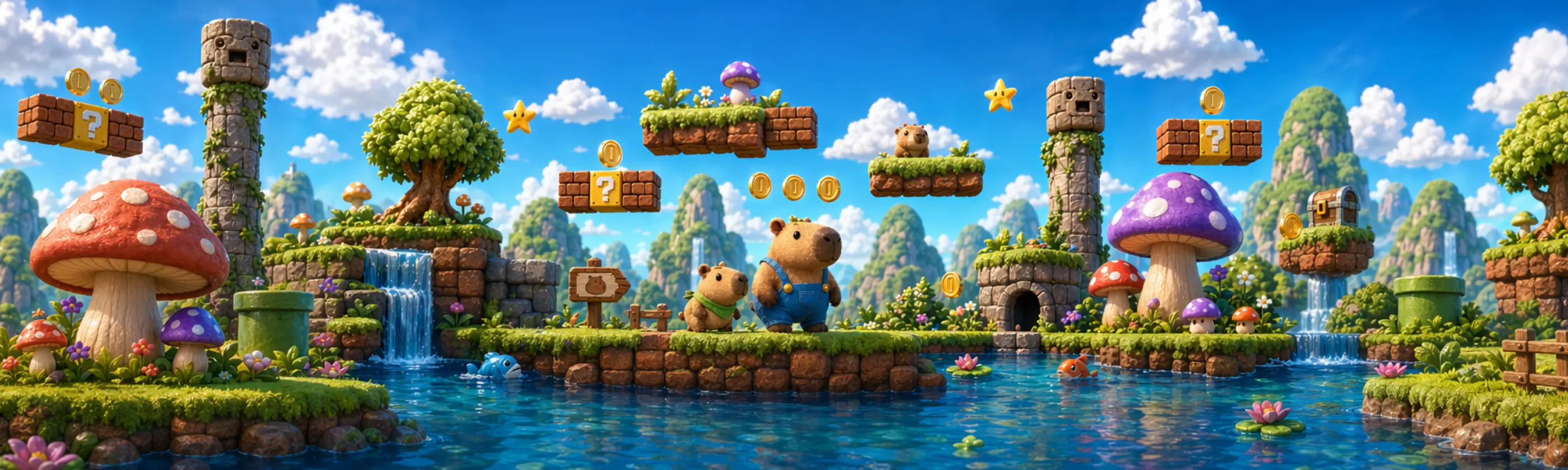
THE HOTTEST SKILL
GPT Image 2.0 Makes the Impossible Possible
Make visuals you can actually ship
GPT Image 2.0, technically known as gpt-image-2, is now live on Happycapy, and it is one of those upgrades that changes what an image skill is genuinely useful for. Many image models can produce something visually impressive. GPT Image 2.0 is far better at producing outputs that feel usable, structured, and close to publishable.
On Happycapy, that matters because a skill is not a one off generation. It is a workflow you can run, refine, and reuse. You can use it through the generate image skill, or by prompting 'use gpt-image-2 to generate'. The results are genuinely beyond what most people expect from image generation.
SKILL
Generate Image
Using gpt-image-2 on Happycapy, you can generate 360 degree panoramas with just a few lines of prompt and display them in a 360 degree viewer. The result feels deeply immersive, and the seam continuity across the image is surprisingly good. You can try it for free directly in the Happycapy tool.
Its capabilities go far beyond what most people imagine from image generation, and the reasons are surprisingly concrete. GPT Image 2.0 does not just make prettier pictures. It handles the practical details that usually break workflows, like readable typography, structured layouts, and consistency across multiple frames. Below are a few standout strengths that explain why it feels so usable on Happycapy:
1. Typography and readable text inside images
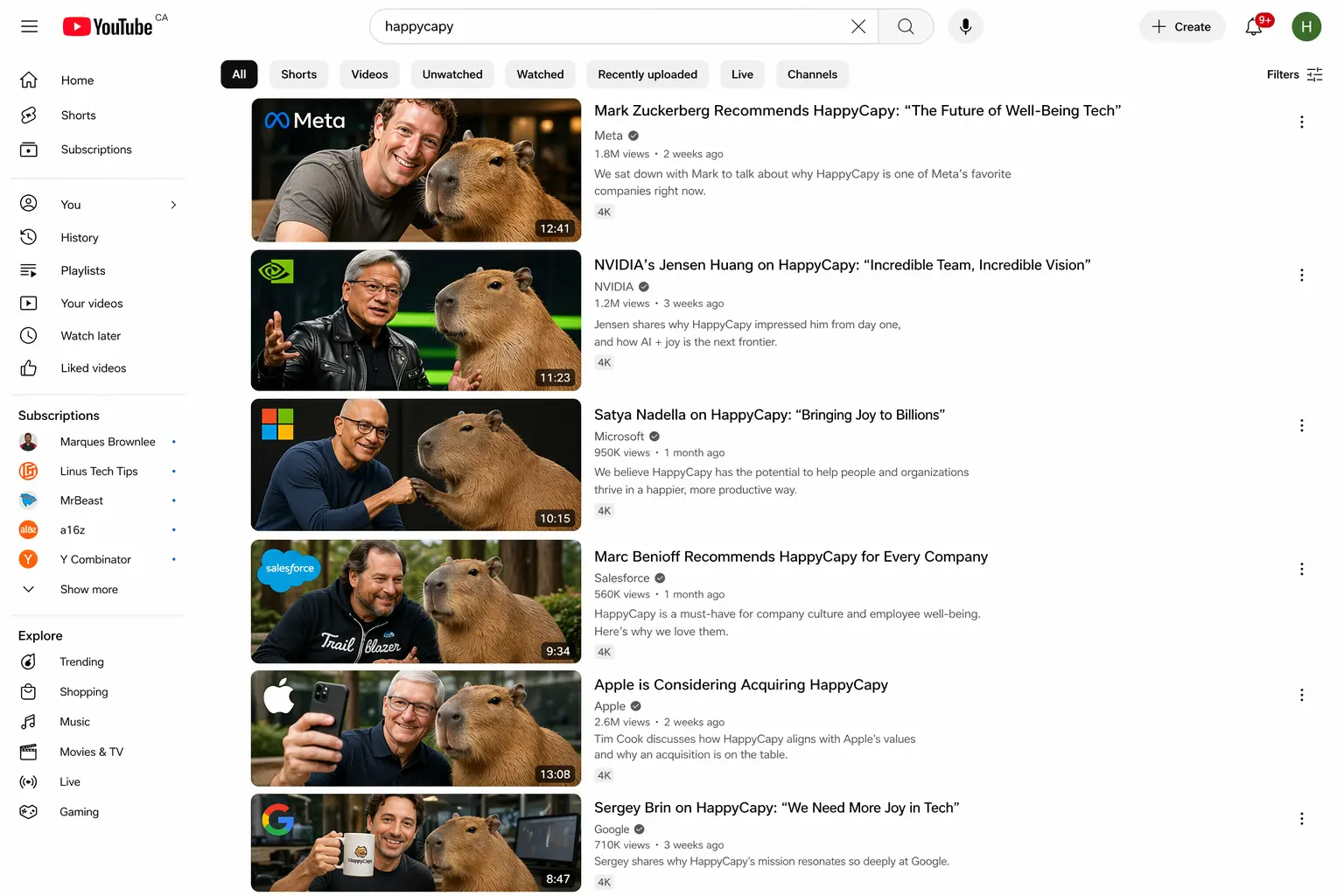
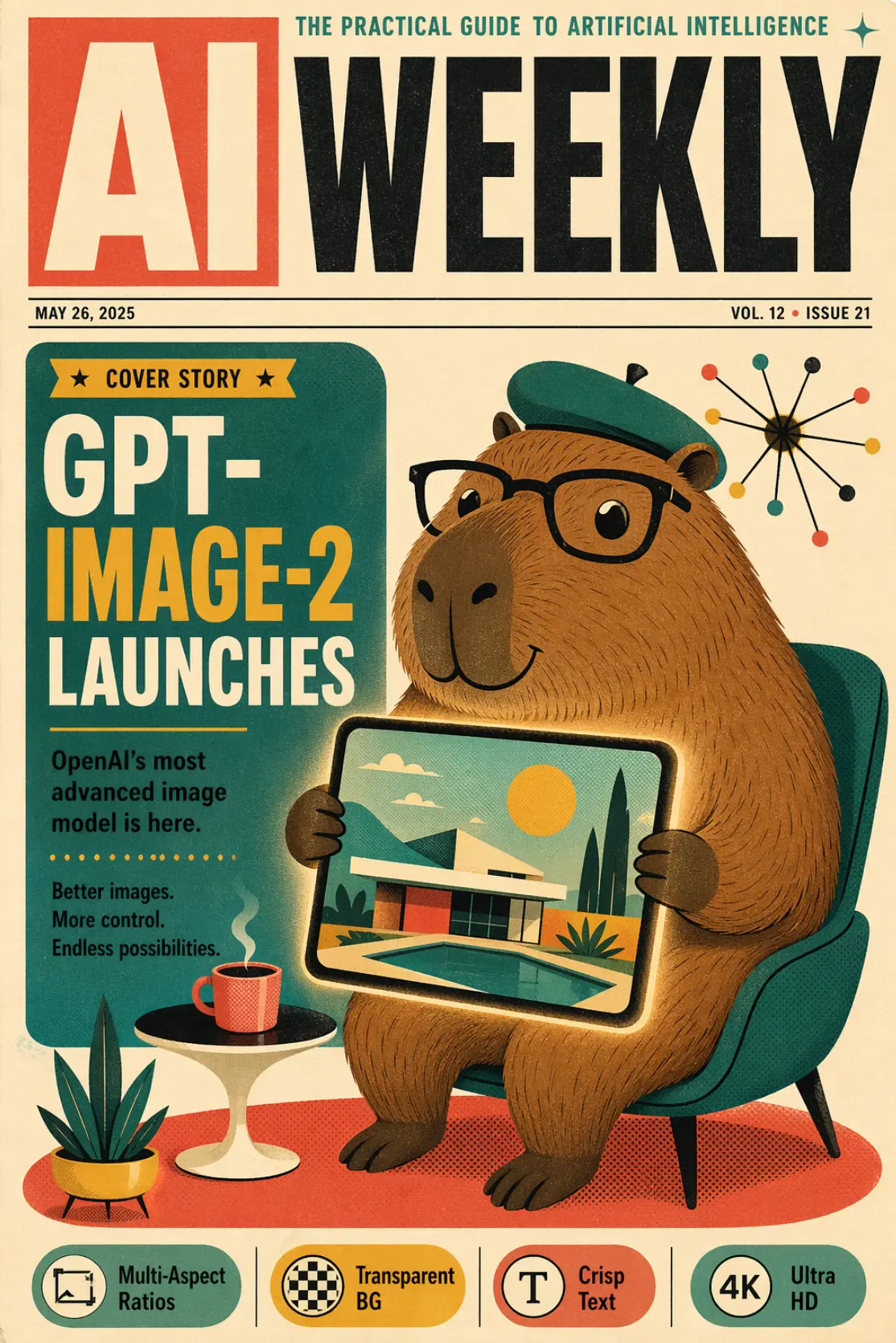
GPT Image 2.0 is notably stronger at placing readable text within images, including across languages. This unlocks practical outputs like posters, event flyers, product one pagers, social graphics, and simple UI style mockups. On Happycapy, you can use the generate image skill like a lightweight design assistant. Describe the hierarchy, layout, tone, and copy, then iterate until the typography and composition feel right.
2. Structured layouts that look designed
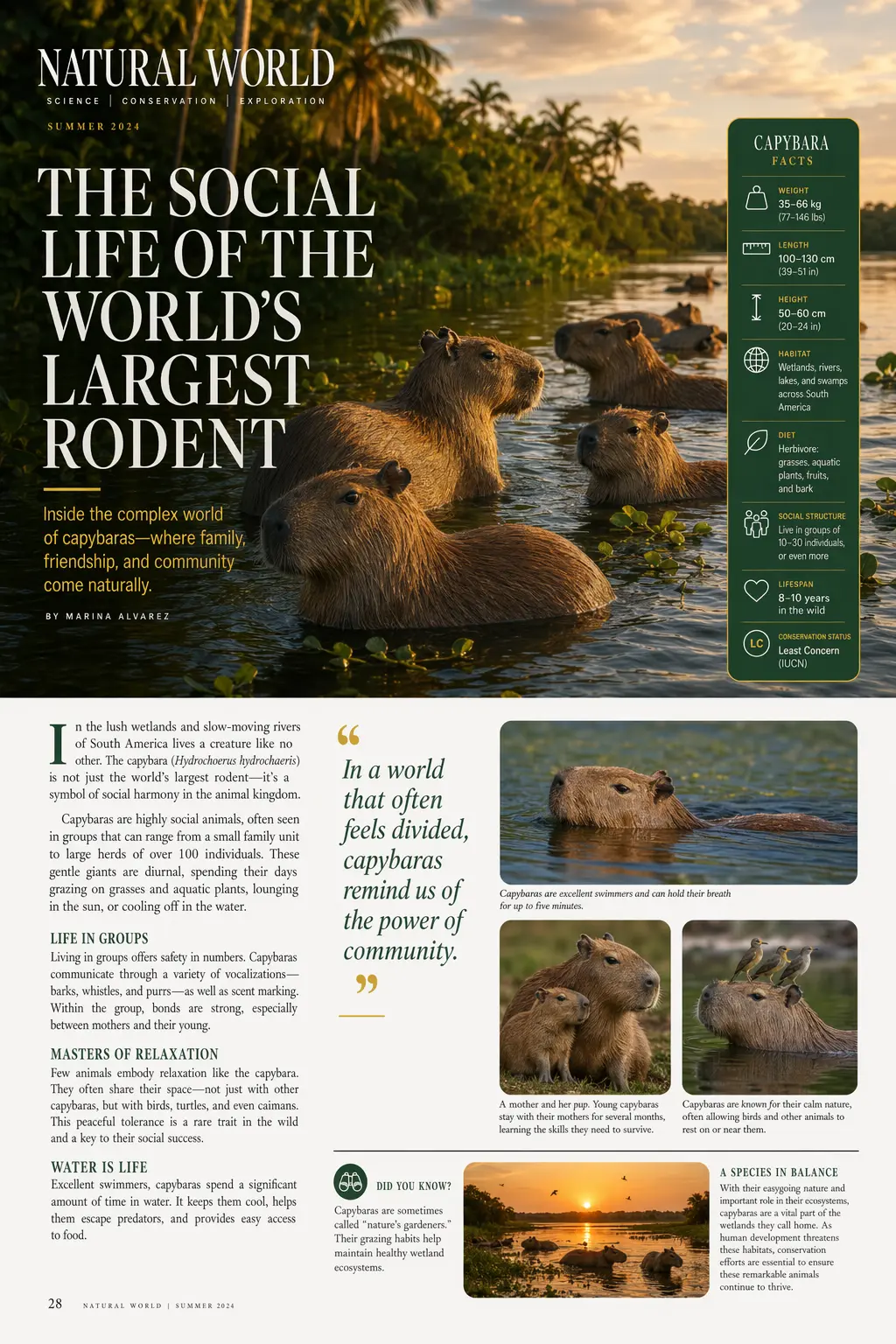
A major step forward is how well GPT Image 2.0 handles information rich visuals. It can produce brochure style layouts, infographics, and educational visuals with clearer hierarchy and separation between sections. Instead of a single pretty image, you can ask for a complete layout draft that already looks intentional and readable.
3. Multi panel storytelling and continuity
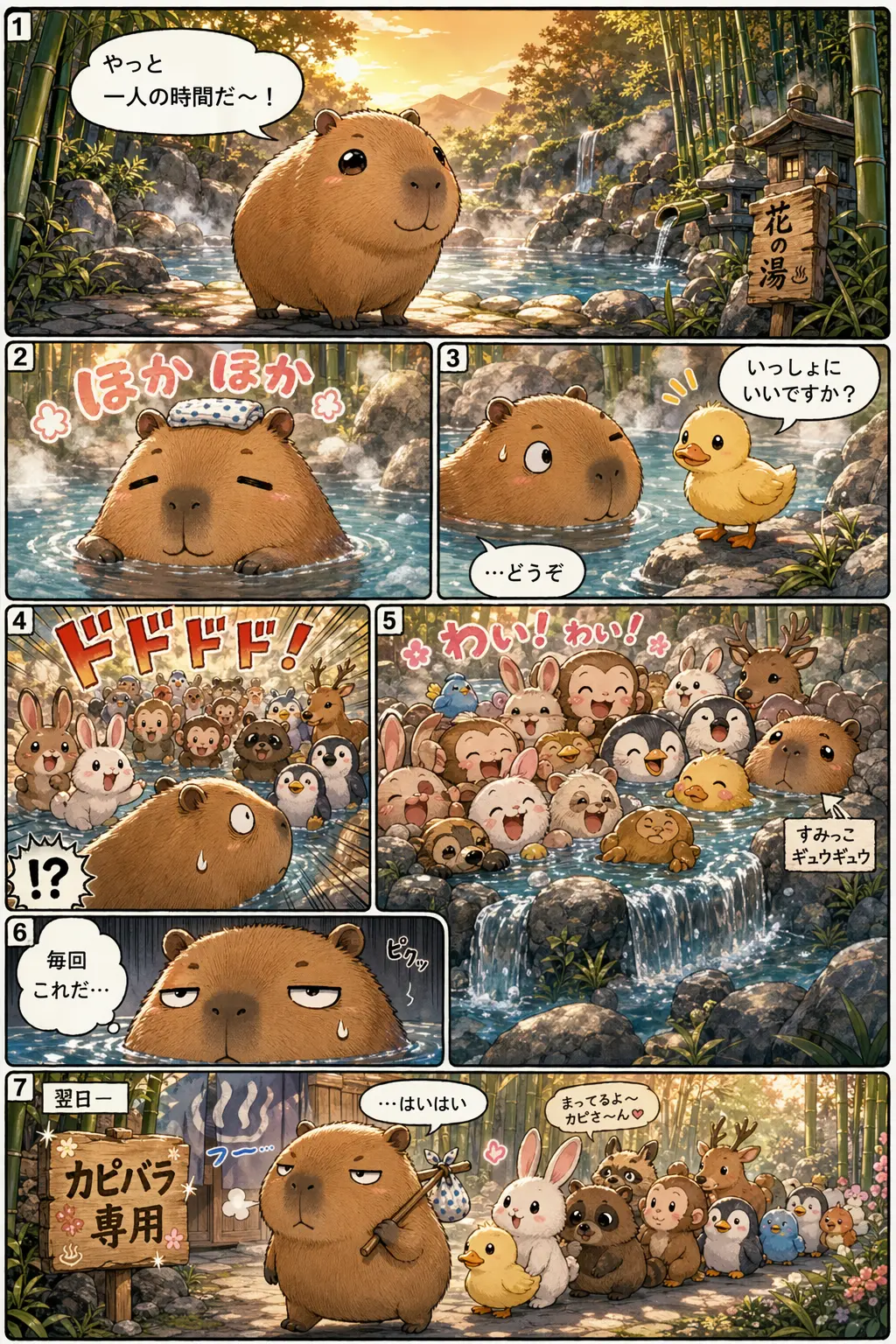
GPT Image 2.0 performs well when the output spans multiple frames, such as comics, storyboards, and step by step visual explanations. It is better at maintaining narrative coherence and stylistic continuity across panels. With Happycapy, this becomes an iterative workflow where you can refine story beats and art direction without starting over.
4. Realism and style range for real production needs
The model supports a wide range of looks, from realistic editorial and product styles to playful illustration. This makes it practical for different channels and different audiences, especially when you need the visual tone to match a brand rather than a generic model style.
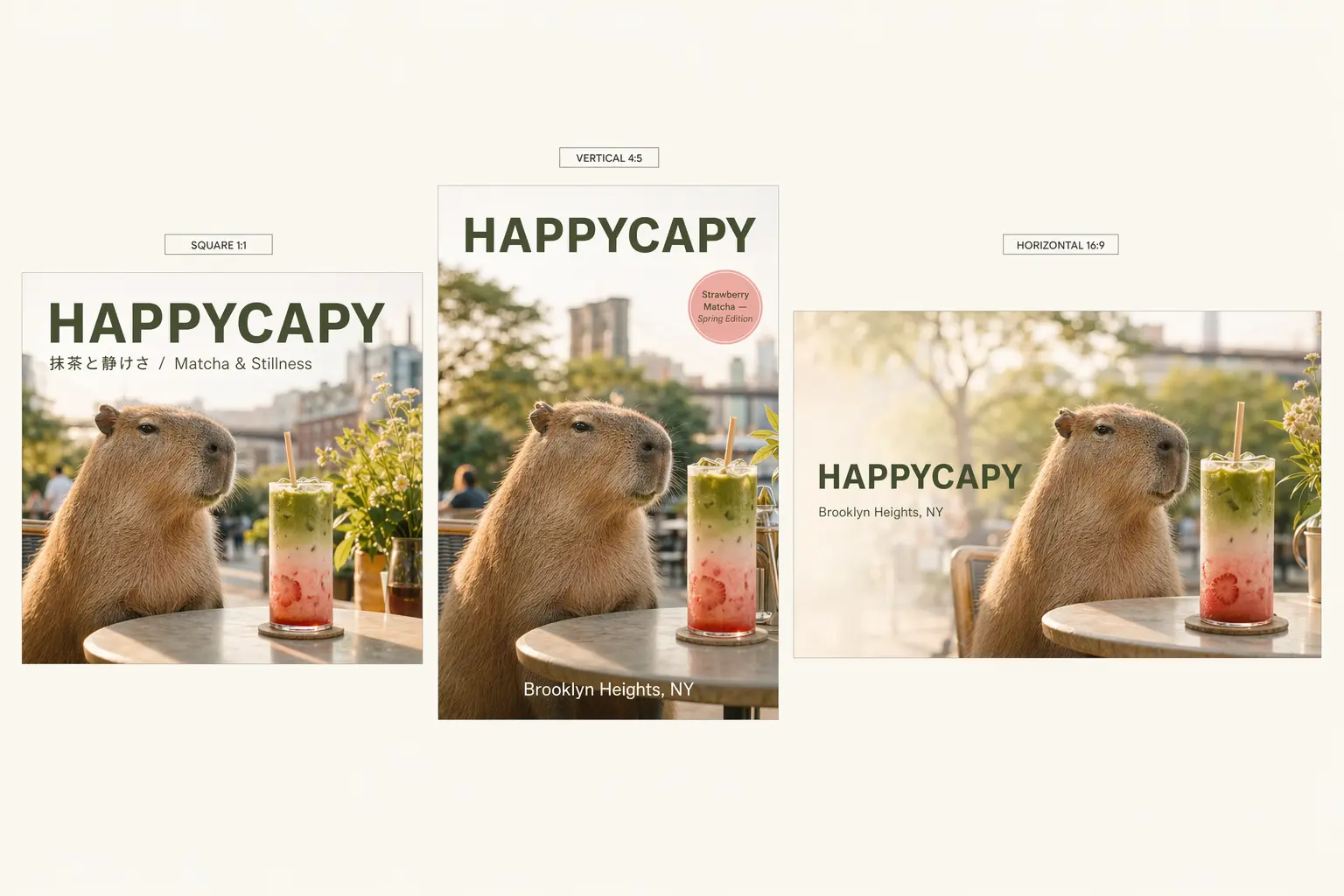
5. Flexible aspect ratios and layout fit for real deliverables
GPT Image 2.0 is stronger at adapting to different formats and compositions, which matters in real design work. Whether you need a poster, a bookmark style vertical layout, a wide cityscape banner, or platform specific social dimensions, you can prompt for the format and get a result that respects the intended framing. On Happycapy, this is especially useful because you can quickly generate and compare multiple sizes and crops without rebuilding the layout each time.
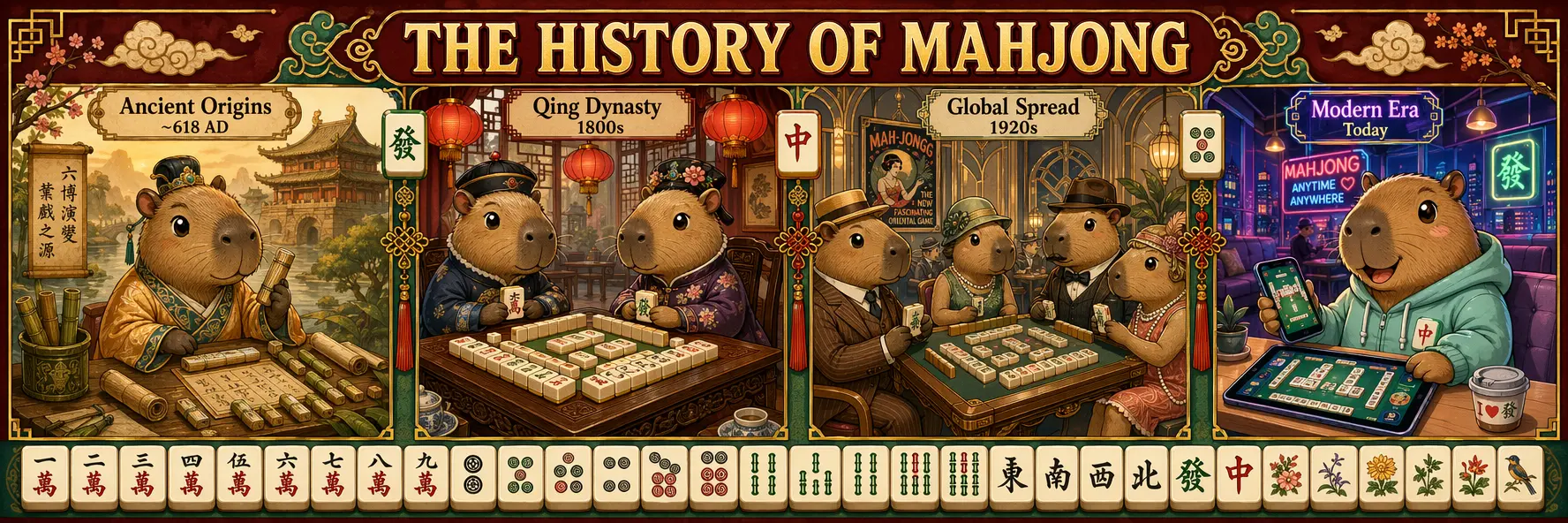
6. Better contextual accuracy through thinking driven visual synthesis
The model is also positioned as a better visual synthesizer, not just a renderer. The examples highlight that it can connect research, reasoning, and source material transformation into a visual output that matches the context more closely. When paired with a workflow that uses thinking or search, you can generate visuals that are grounded in up to date details, such as product poster style compositions that reflect the latest information, or diagrams and scenes that depend on factual context. On Happycapy, this opens up a more powerful pattern: gather information first, then turn it into a clean visual artifact in the same run.
Start building with Happycapy
Happycapy is an agent-native computer for building apps, sites, and content with AI. Sign up free to run skills, prompts, and automations in one workspace.